

I used to choose libraries based on GitHub stars and the "setup time" promised in the Readme. If a package promised "zero boilerplate" or "reactive state in 5 minutes," I installed it.
That strategy works for hackathons. It works for MVP demos. It failed for an offline-first app that needed to sync thousands of records on a flaky 4G connection in a basement.
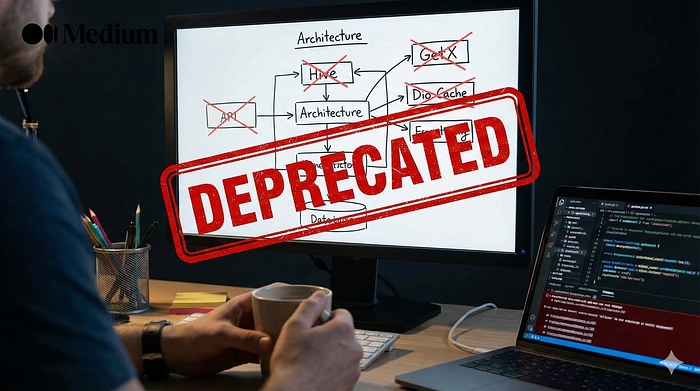
In building the architecture I described in my Offline-First series, I had to rip out five popular libraries that couldn't handle the weight of real production usage. I didn't remove them because the code was "bad" — I removed them because they optimized for the wrong thing: Developer Convenience instead of System Correctness.
Here is what I removed, why I removed it, and what actually survives in production.
1. Hive (For Relational Data)
The Promise: "Fast, NoSQL, lightweight, works everywhere." The Reality: Relationship nightmares and memory pressure.
Hive is incredibly fast. I loved it — until we scaled. The problem with NoSQL key-value stores for complex offline apps is that business logic is almost always relational. Users have Orders, Orders have Line Items, and Line Items have Products.
Trying to manage these relationships in Hive meant writing manual "join" logic in Dart. We ended up with:
- Orphaned data: Deleting an Order didn't automatically cascade to delete the Line Items.
- OOM Crashes: Hive (v3) often keeps boxes in memory. When a user synced 10,000 past transactions, the app crashed (Out of Memory) on older Android devices because the heap couldn't hold the box.
The Fix: I migrated to Drift (SQLite). Yes, it has boilerplate. Yes, you have to write SQL. But ACID transactions, foreign keys, and performant disk-based queries prevent "ghost data" better than any Dart code I can write.
2. Connectivity Plus (As the "Internet" Check)
The Promise: "Tells you if the device is connected to the internet." The Reality: It lies.
Connectivity Plus checks if the device is connected to a router or cell tower. It does not check if that router actually has an internet connection. We had thousands of logs where the app tried to sync because ConnectivityResult == .mobile, but the request failed immediately because the user was in a "dead zone," a captive portal, or behind a corporate firewall.
The Fix: We still use it, but only as a trigger. The real "Online" check is a lightweight Internet Connection Checker (we use internet_connection_checker_plus or a raw socket open to 8.8.8.8). Never trust the OS network status for critical sync logic.
3. GetX (For State Management)
The Promise: "The easy way to do everything. No context needed." The Reality: The hardest way to debug navigation and lifecycle.
I know this is controversial. GetX is fast to write. But in a complex offline-first app, lifecycle is everything. We need to know exactly when a Controller is disposed so we can close database streams. GetX's "magic" disposal often closed streams too early or kept them open too long, leading to memory leaks during rapid navigation. Worse, trying to unit test a class that depends on Get.find() without mocking the entire global context was a friction point that discouraged our team from writing tests.
The Fix: flutter_bloc and GetIt. Bloc forces you to think in Events and States, which aligns perfectly with the "Syncing -> Synced -> Failed" lifecycle of offline apps. It is verbose, but it is predictable.
4. Dio HTTP Cache (The "Magic" Interceptor)
The Promise: "Cache API responses with one line of code." The Reality: You lose control of your "Source of Truth."
We used a caching interceptor to make the app feel "offline capable" early on. If the network failed, it served the last known JSON. The problem? Cache Invalidation. The UI would show a "Cached" version of a user's profile, but the local database had a "Pending Edit" that conflicted with it. The interceptor didn't know about our local database state. We ended up with UI bugs where the user saw old data even after they updated it locally.
The Fix: We removed network caching entirely. As per [Part 1], the UI only reads from the Local Database. The API updates the Database. The Network Cache is dead; long live the Database.
5. SharedPreferences (For "Small" Configs)
The Promise: "Just a quick way to store a flag." The Reality: UI jank on startup.
We started stuffing "small" things into SharedPreferences. Auth tokens, user settings, feature flags. Then we added a "large" JSON blob for the user's initial config. On Android, SharedPreferences can block the Main Thread on initialization. We saw frame drops during app startup simply because we were reading a 50KB JSON string synchronously.
Before (The Jank):
// This blocks the main thread on Android.
// SharedPreferences.getInstance() reads the entire XML file synchronously
// on first access — even if you only need one key.

Future<void> main() async {
  WidgetsFlutterBinding.ensureInitialized();

  final prefs = await SharedPreferences.getInstance();

  // Every single read hits the in-memory map that was loaded
  // from a full XML file parse on the main thread.
  final token = prefs.getString('auth_token');
  final userJson = prefs.getString('user_config'); // 50KB JSON blob
  final flags = prefs.getString('feature_flags');
  final theme = prefs.getString('theme_preference');

  // By the time your first frame renders, the main thread
  // has already parsed an XML file, decoded 50KB of JSON,
  // and blocked the UI pipeline.

  runApp(MyApp(token: token, config: userJson));
}
On Android, SharedPreferences.getInstance() reads the entire XML file into memory on first call — every key, every value, including that 50KB config blob you "temporarily" stored six months ago. Drift queries only the rows you ask for, from disk, without touching the main thread's memory budget.
After (The Fix):
// Drift reads are async, disk-based, and never load the entire
// database into memory. You query only what you need.
Future<void> main() async {
  WidgetsFlutterBinding.ensureInitialized();

  final db = AppDatabase(); // Drift - opens a lazy SQLite connection

  // Each query hits the disk independently. No full-file parse.
  // SQLite handles concurrency. The main thread stays clean.
  final token = await db.secureTokenDao.getToken();       // 1 row
  final flags = await db.featureFlagDao.getActiveFlags();  // indexed query
  final theme = await db.settingsDao.getThemePref();       // 1 row

  // No 50KB blob. No XML parse. No main thread block.
  // First frame renders without dropped frames.

  runApp(MyApp(token: token, flags: flags, theme: theme));
}
We moved everything to Drift (for structured data) or Flutter Secure Storage (for tokens). If it needs to be persisted, it belongs in a proper storage engine, not in a fragile XML file.
Summary
Tools that optimize for Development Velocity often penalize Maintenance Velocity. When you are building offline-first, you are fighting against chaos: network failures, battery death, and race conditions. You need tools that are boring, strict, and predictable.
I regret the time I saved setting these up, because I paid it back 10x debugging them.
If you want to see the specific crashes we faced with GoRouter, Flutter Secure Storage, and WebView (and what we replaced them with), you can read it here: 5 More Flutter Libraries I Regret Using in Production
I break down production bugs with receipts, not opinions. You're welcome to follow along — I keep it useful. 🎀