
And I finally understood where local AI is going.
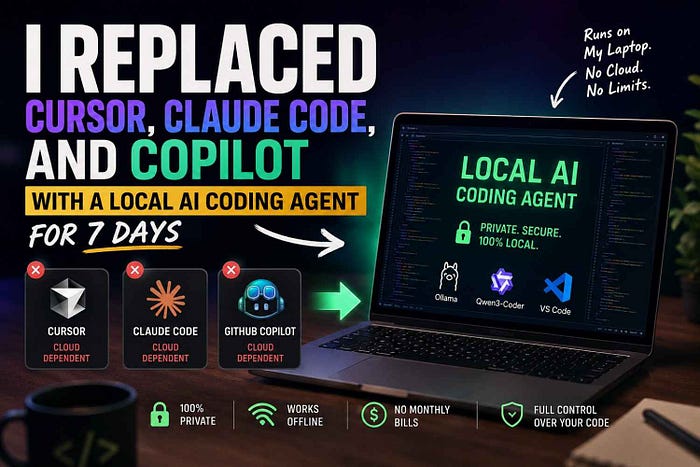
For one full week, I stopped using cloud-based AI coding tools.
No Cursor.
No Claude Code.
No GitHub Copilot.
No browser tabs open with ChatGPT for every small bug.
Instead, I tried to use a local AI coding agent running on my own machine.
The goal was simple:
Can a local AI coding agent help me write, fix, and understand code without sending everything to the cloud?
I expected it to fail.
But by the end of the week, my opinion changed.
Not completely.
But enough to make me take local AI much more seriously.
Why I Tried a Local AI Coding Agent
AI coding tools are now part of every developer's life.
We use them to write functions, explain errors, generate tests, refactor code, and sometimes even build full features.
But there is one problem.
Most powerful AI coding tools run in the cloud.
That means your code, prompts, bugs, files, and sometimes even business logic are sent outside your machine.
For personal projects, that may be okay.
But for private codebases, client projects, internal tools, financial apps, healthcare systems, or company products, this becomes a serious question.
Do I really want my entire code context going outside?
That is where the idea of a local AI coding agent becomes interesting.
A local AI coding agent runs on your own laptop or system. It can read code, answer questions, generate logic, and help with debugging without depending completely on a cloud model.
It sounds simple.
But the real question is:
Can it actually work in real coding?
My Local AI Setup
I kept the setup simple.
I used:
- A local LLM through Ollama
- A coding-focused open-source model
- VS Code
- Python projects
- Some JavaScript and backend code
- Real bugs from real projects
I did not want to test it only with toy examples like:
print("Hello World")That proves nothing.
So I tested the local AI coding agent with real developer work:
- Fixing bugs
- Explaining old code
- Writing small features
- Refactoring functions
- Creating API logic
- Understanding error messages
- Generating test cases
Basically, the same work where I usually use Cursor, Claude Code, or Copilot.
Day 1: The First Shock
The first day was not smooth.
The local AI coding agent was slower than cloud tools.
When I asked a big question, it took more time to respond.
When I gave it a large file, it sometimes missed important details.
When I asked it to understand the whole project, it was not as sharp as Cursor or Claude Code.
At first, I thought:
This is not ready.
But then I changed my approach.
Instead of asking huge questions like:
"Understand this full project and fix everything."
I started asking smaller, cleaner questions:
"Explain this function."
"Find the bug in this error."
"Improve only this block."
"Write a clean version of this API route."
And suddenly, it became useful.
That was my first lesson.
A local AI coding agent works better when you treat it like a focused junior developer, not like a magical senior architect.
Where the Local AI Coding Agent Worked Really Well
The best use case was code explanation.
I gave it old functions, messy logic, and confusing error messages.
It explained them in simple language.
For example, if I had a Python function with too many conditions, the local AI coding agent could break it down step by step.
It was also good at writing boilerplate code.
Things like:
- Python utility functions
- FastAPI routes
- Django model helpers
- SQL query examples
- JSON parsing logic
- Basic validation code
- Simple test cases
This saved time.
Not because the code was perfect, but because it gave me a strong starting point.
And that is the real value of a local AI coding agent.
It may not replace a developer.
But it can remove the blank page problem.
Where It Failed
Now let's be honest.
A local AI coding agent is not yet better than Cursor, Claude Code, or Copilot for every task.
It struggled with large project context.
If I asked it to understand multiple files together, it was weaker than cloud tools.
It also made mistakes in complex logic.
Sometimes it gave code that looked correct but had small hidden issues.
This is dangerous because AI-generated code can look very confident even when it is wrong.
The local AI coding agent was also weaker in deep reasoning.
For example, when I asked it to design a complete database structure or debug a multi-step backend issue, I still preferred a stronger cloud model.
So no, local AI is not perfect.
But that does not mean it is useless.
It just means we need to use it for the right tasks.
Local AI Coding Agent vs Cursor
Cursor still feels more polished.
It understands the editor better.
It works smoothly with files.
It gives a better coding experience.
It is faster for big changes.
But Cursor depends on cloud models for its best performance.
A local AI coding agent gives you more privacy and control.
So the comparison is simple:
Cursor is better for speed and full-project productivity.
A local AI coding agent is better when privacy, cost, and offline control matter more.
Local AI Coding Agent vs Claude Code
Claude Code is powerful.
It can reason deeply, understand complex instructions, and work like a serious coding partner.
For big architecture decisions, Claude Code still wins.
But again, it is cloud-based.
The local AI coding agent cannot fully match that level yet.
But for daily coding support, small bug fixes, explanations, and simple code generation, it is already useful.
That surprised me.
Because I did not expect local AI to be this practical.
Local AI Coding Agent vs GitHub Copilot
GitHub Copilot is very smooth for autocomplete.
It feels fast and natural inside the editor.
But Copilot is mostly useful while writing code.
A local AI coding agent feels different.
It is better for asking questions like:
"Why is this error happening?"
"Can you rewrite this function?"
"What is this code doing?"
"Can you generate a cleaner version?"
So Copilot is great for speed.
A local AI coding agent is better for private thinking and local code discussion.
The Biggest Benefit: Privacy
This is the main reason local AI coding agents matter.
When your AI runs locally, your code stays closer to you.
That matters for:
- Company projects
- Client work
- Private repositories
- Startup ideas
- Financial logic
- Internal tools
- Sensitive documents
- Experimental products
Not every project should be sent to a cloud AI tool.
Local AI gives developers another option.
Maybe not the most powerful option.
But a safer one.
And sometimes, safety matters more than speed.
The Second Biggest Benefit: Cost
Cloud AI tools are powerful, but subscriptions add up.
One tool for coding.
One tool for chat.
One tool for agents.
One API bill.
One premium plan.
Suddenly, AI coding becomes expensive.
A local AI coding agent changes the equation.
Once your setup is ready, you can run many tasks locally.
Of course, you still need good hardware.
But for developers who already have a decent machine, local AI can reduce dependency on paid tools.
This does not mean everyone should cancel Cursor or Copilot today.
But it does mean local AI is becoming a serious alternative.
The Third Benefit: Offline Coding
This part feels underrated.
A local AI coding agent can work even when internet access is weak or unavailable.
That is powerful.
Imagine coding while traveling, working from a remote place, or dealing with unstable internet.
Cloud AI fails when the network fails.
Local AI does not.
That makes local AI coding agents useful not only for privacy, but also for independence.
The Best Way to Use a Local AI Coding Agent
After 7 days, I found the best workflow.
Do not ask the local AI coding agent to build the whole app.
Ask it to help with small clear tasks.
Good prompts:
"Explain this function in simple language."
"Find possible bugs in this code."
"Rewrite this code in a cleaner way."
"Create a test case for this function."
"Convert this logic into Python."
"Generate a FastAPI route for this payload."
Bad prompts:
"Build my full SaaS app."
"Understand my entire codebase and fix everything."
"Create a perfect production architecture."
Local AI works best when the task is focused.
Small prompt.
Small context.
Clear output.
That is where it shines.
So, Can Local AI Replace Cursor, Claude Code, or Copilot?
Not fully.
At least not yet.
Cursor is still better for smooth editor experience.
Claude Code is still better for deep reasoning.
Copilot is still better for fast autocomplete.
But a local AI coding agent is no longer a toy.
That is the most important point.
It can already help with real coding work.
It can explain code.
It can fix simple bugs.
It can generate useful functions.
It can write tests.
It can help with private projects.
It can work offline.
It can reduce cloud dependency.
That is a big deal.
Final Verdict
After 7 days, I did not fully replace Cursor, Claude Code, or Copilot.
But I did change how I think about local AI.
Earlier, I thought local AI was mostly for experiments.
Now I think local AI coding agents are becoming a real part of the developer workflow.
Maybe not as the main brain.
But definitely as a private coding assistant.
A local AI coding agent is not perfect.
It is slower.
It makes mistakes.
It needs better context handling.
It cannot always match the best cloud models.
But it gives something cloud tools cannot fully give:
Control.
And in the future of AI coding, control will matter a lot.
Developers do not only need faster tools.
They need tools they can trust.
That is why local AI coding agents are important.
Not because they replace everything today.
But because they show where AI coding is going next.
The future may not be only cloud AI.
The future may be hybrid.
Cloud AI for power.
Local AI for privacy.
And developers choosing the right tool for the right task.
That is the future I saw after using a local AI coding agent for 7 days.
And honestly, it is closer than most people think.