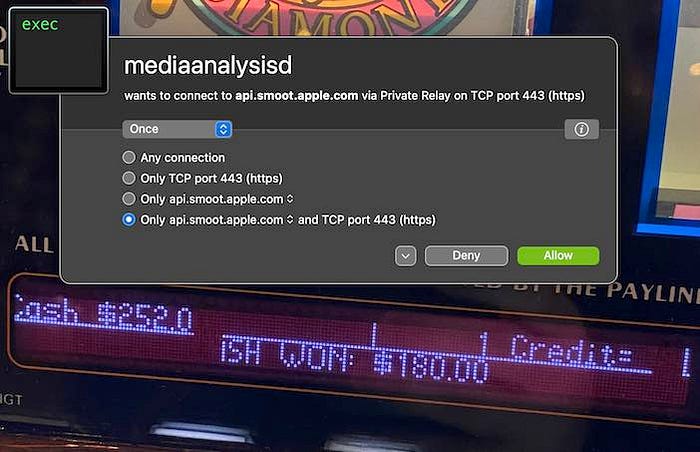

A recent thread on Twitter raised concerns that the macOS process mediaanalysisd, which scans local photos, was secretly sending the results to an Apple server. This claim was made by a cybersecurity researcher named Jeffrey Paul. However, after conducting a thorough analysis of the process, it has been determined that this is not the case.
The mediaanalysisd process is a background task that starts every time an image file is previewed in Finder, and then calls an Apple service. The process is designed to run machine learning algorithms to detect objects in photos and make object-based search possible in the Photos app. It also helps Finder to detect text and QR codes in photos. Even if a user does not use the Photos app or have an iCloud account, the process will still run.
The analysis of the mediaanalysisd process revealed that it does not access any suspicious resources. The content of its framework, MediaAnalysis.framework, clearly shows that the process is used for object detection in photos, and its binaries file contains a huge list of objects the model is trained to detect. Some examples of these objects include cars, people, and animals.
Additionally, even if a user does not have an iCloud account, their Mac still needs to call Apple services for things like checking for updates to the macOS. However, the network traffic sent and received by mediaanalysisd was found to be empty and appears to be a bug. The data shown by Activity Monitor about this process is only the data needed to establish an HTTPS channel with the server.
In conclusion, the mediaanalysisd process does not send any data to Apple about local photos. The network call that raised concerns is a bug. Apple has since released macOS 13.2, which has fixed this issue, and the process no longer makes calls to Apple servers. It is recommended that users update their Mac to this version to address this issue.
It's also worth noting that Apple has a strong commitment to user privacy, as they have stated in their privacy policy, they don't collect personal information unless it's necessary for providing the services requested by the user. Also, if they do collect any information, it is used only to improve the performance and security of their services.
In a general sense, it's always important to be aware of the permissions and access that apps and processes have on our devices, it's also important to keep our devices updated, as well as to be vigilant about the information we share online and the apps we use. This is the best way to protect our privacy and security.
It's important to note that using a closed-source operating system like macOS does come with certain risks when it comes to privacy and security. One of the key concerns is that users have limited visibility into what the operating system and its associated processes are doing. While in this case, it was determined that the mediaanalysisd process was not sending data to Apple, it can be difficult for the average user to independently verify such claims.
One way to gain more visibility into the network activity of processes on a Mac is through the use of third-party applications such as Little Snitch from Objective Development.
Little Snitch is a firewall application that allows users to monitor and control the network traffic of individual processes, giving users more control over their privacy and security. It allows users to block unwanted connections and to be alerted about unsolicited attempts to connect to the Internet. This can help users to identify and address any suspicious network activity on their device.
Check out my list of must-have privacy apps for MacOS in 2023 below:
Please let me know what do you think about this story in the comments below ⬇️
Please consider clapping and following me for more articles 👏
Twitter thread: https://twitter.com/mysk_co/status/1617654107430604800
Article that started the discussion: https://sneak.berlin/20230115/macos-scans-your-local-files-now/