

Open-Source Tools That Scaled Better Than Paid Ones…
Boost Productivity with Free Open-Source Software | Developer Tools That Replace Paid Alternatives.
I used to believe good software must be paid software. Monthly invoices. Annual renewals. "Pro" badges everywhere.
Non members-LINK
But somewhere between side projects, client work, and long nights debugging, I slowly replaced almost everything with free & open-source tools. Not as an experiment -but because they actually worked better.
This is not a list from the internet. These are tools I open every single day.
1. VS Code — My Daily Work Desk
VS Code is a lightweight but powerful code editor that supports almost every programming language. It's fast, extensible, and works the same on Windows, Linux, and macOS.

Why this matters: A code editor is where you live as a developer. If it's slow, bloated, or locked behind a paywall, it silently drains energy.
Why I stopped paying: I used paid IDEs earlier. They were heavy, slow to open, and forced licenses. VS Code feels free and professional.
How I use it daily:
- Git integration
- Debugging
- Docker files
- Markdown writing
- Notes + blog drafts
// My must-have VS Code extensions
{
  "extensions": [
    "esbenp.prettier-vscode",
    "dbaeumer.vscode-eslint",
    "eamodio.gitlens",
    "ms-azuretools.vscode-docker"
  ]
}
🚀 Top Remote Tech Jobs — $50–$120/hr
🔥 Multiple Roles Open Hiring Experienced Talent (3+ years) Only.
- Frontend / Backend / Full Stack
- Mobile (iOS/Android)
- AI / ML
- DevOps & Cloud
⏳ Opportunities Fill FAST — Early Applicants Get Priority! 👉 Apply Here
2. Git — The Backbone of Everything
Git is a distributed version control system that tracks code changes and allows collaboration without fear of breaking things.
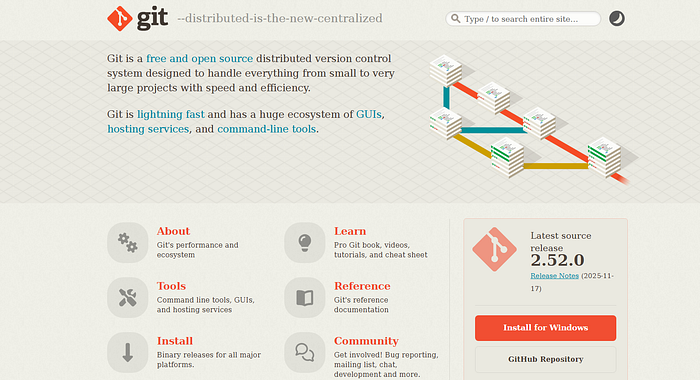
Why this matters: Without version control, you're coding blind. Git gives confidence — every experiment has a safety net.
Why I stopped paying: Some tools wrap Git with paid UI layers. Git itself is enough.
Daily workflow:
git status
git add .
git commit -m "small but important change"
git push origin main
Simple. Reliable. No subscription guilt.
3. Docker — "Works on My Machine" Killer
Docker lets you package your app with its environment so it runs the same everywhere.
Why this matters: Environment issues waste more time than bugs.
Why I stopped paying: Earlier, I paid for hosting-specific stacks. Docker gave me control, not lock-in.
Example:
FROM node:20
WORKDIR /app
COPY . .
RUN npm install
CMD ["npm","start"]
Now my app behaves the same on:
- My laptop
- Server
- Client machine
4. Postman — API Testing Without Pain
Postman helps test APIs visually — requests, headers, tokens, responses.
Why this matters: APIs break silently. Postman makes problems visible.
Why I stopped paying: The free tier + open alternatives are enough for real work.
Example request:
GET /api/users
Authorization: Bearer {{token}}
I don't debug APIs blindly anymore.
5. DBeaver — One Database Tool for Everything
A universal database client for MySQL, PostgreSQL, MongoDB, Oracle, and more.
Why this matters: Switching DB tools breaks flow.
Why I stopped paying: Paid DB tools felt fast — until projects grew. DBeaver scaled without limits.
Example query:
SELECT id, email, created_at
FROM users
ORDER BY created_at DESC;
Clean UI. Zero cost. Works everywhere.
6. Obsidian — My Second Brain (Offline)
A markdown-based note system that works locally.
Why this matters: Developers forget things. Notes save mental energy.
Why I stopped paying: Cloud note apps lock your data. Obsidian keeps it yours.
How I use it:
- Project notes
- Debug logs
- Blog ideas
- Learning summaries
## Bug Fix – Auth Issue
- Cause: token expiry mismatch
- Fix: sync refresh logic
Simple files. Lifetime value.
7. LibreOffice — When Work Isn't Code
A full office suite — documents, spreadsheets, presentations.
Why this matters: Developers still need invoices, docs, and slides.
Why I stopped paying: Office subscriptions didn't make my work better — just expensive.
I use it for:
- Client docs
- Proposal drafts
- Blog outlines
- Presentation slides
Why This Shift Matters
Paid tools aren't bad. But habitual subscriptions are.
Open-source tools:
- Respect your freedom
- Improve through community
- Don't punish you for growing
Editor's Note: I have no affiliation with any of the tools mentioned. I'm sharing these purely for educational purposes and based on my personal experience.
Soft Takeaway
If a free tool:
- Solves the problem
- Saves time
- Gives control
Then paying extra doesn't make you professional — choosing wisely does.
If you found this helpful, show some love ❤️ and follow for more honest, down-to-earth tech insights!
Thank you for being a part of the community
Before you go:

👉 Be sure to clap and follow the writer ️👏️️
👉 CodeToDeploy Tech Community is live on Discord — Join now!
Note: This Post may contain affiliate links.