

It's been a while since I published an app article, and I'm back again with ten amazing apps for your Mac.
These apps are lesser-known in the Mac ecosystem; some of them are new, and they are all awesome. I hope they help you get things done faster.
Without further ado, let's get started.
1. Wallper
Live Wallpapers for Your Mac
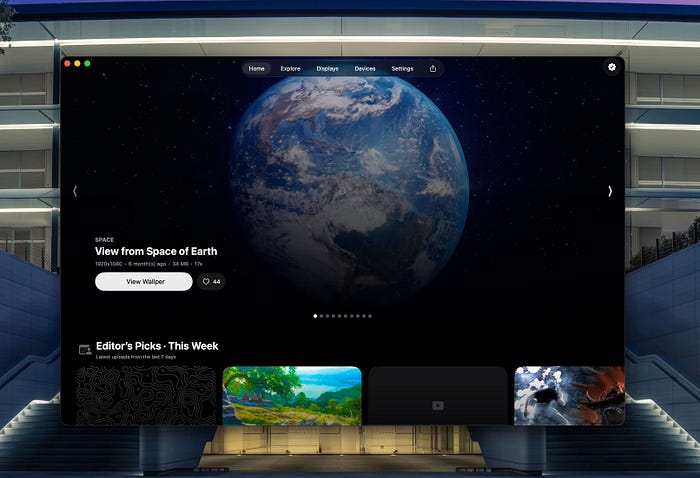
I was always wishing for an app to display live wallpaper on my Mac. On my gaming PC, I have Wallpaper Engine, which has a vast library of wallpapers.
Now, on Mac, we finally have a competition: an app with 1,500 high-res live wallpapers.
Its design is very Apple-like and has the Liquid Glass design language. It has a superior interface that supersedes Wallpaper Engine's UI.
It requires a fast internet connection to cache and display the thumbnails.
The Wallper's performance is neither good nor bad. Most quality videos consume 100MB of RAM and 2% of CPU, but it can be higher.
If you have a modern Mac with 16GB of unified memory, you're good to go; otherwise, be cautious, as the baseline 8GB Macs might not be sufficient to run live wallpapers.
Wallper is unique in its pricing, as it costs a one-time fee of $9.99. A bold move by the developers when apps charge a subscription for premium features.

2. AI Renamer
Rename Your Files with AI
I'm such a fan of using AI to simplify everyday tasks. If AI can help me avoid redundant tasks, then I'm all in favour of it.
AI Renamer is one of those utilities that simplify boring tasks and add some icing on the cake.
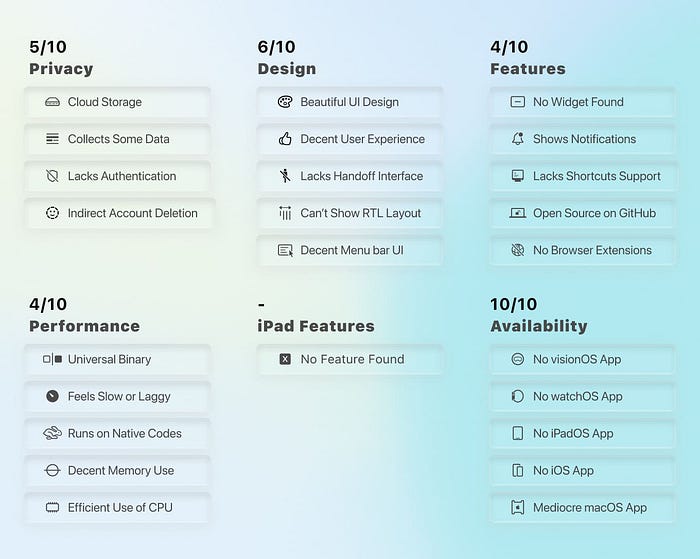
As the name suggests, AI Renamer uploads your files' content to popular AI services and returns a fitting text to set as the filename.
Currently, it supports images (GIF, PNG, JPG, WEBP) and documents (PDF, TXT, and other text files).
I hope they add support for music, video, and compressed archives.
The UI is simple: drag and drop your file onto it, wait a moment, and see the new file name applied to your file.
Also, it can rename multiple files in one go, which makes it great for organising large directories.
What makes AI Renamer incredibly useful is its support for local AI models through Ollama and LM Studio.
With LM Studio, I connected to Gemma 3 12B and successfully renamed over a hundred photos.
A model that only took 8GB of VRAM was quick to parse and output the proper file name for my files.
I wish the updates would bring Apple Intelligence integration for easier AI access on Apple Silicon.
I'm excited to see the features that the developer is going to introduce.
AI Renamer is the kind of AI app I want to see more of on modern computers. It's awesome!
3. Vesta
AI-powered chat assistant with Apple Intelligence integration
Apple Intelligence is a small LLM baked into macOS.
It's currently reserved for writing and summarisation; however, that didn't stop developers from accessing it.
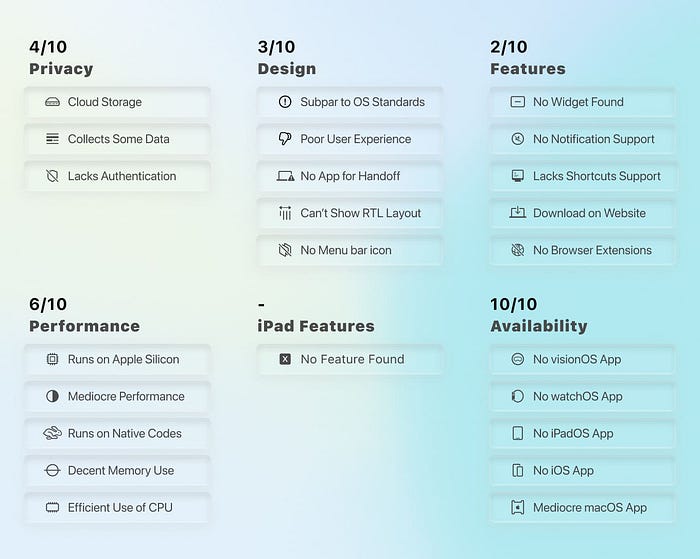
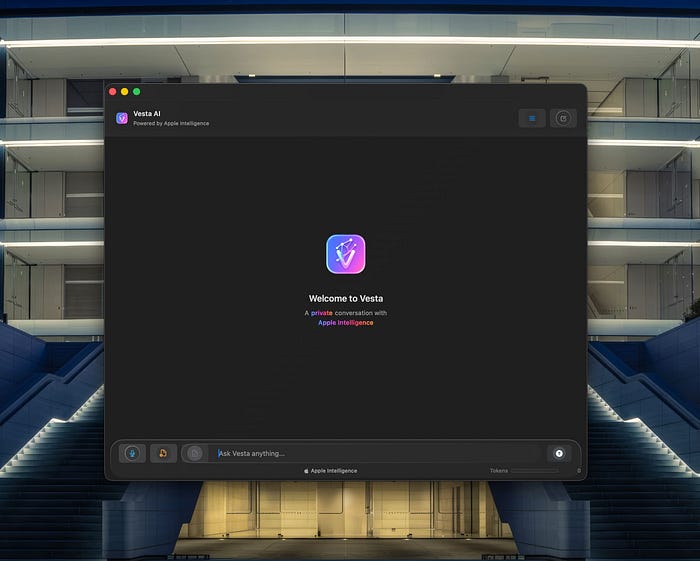
Vesta is an open-source project to help you chat with Apple Intelligence on any Apple Silicon Mac.
It provides a chat interface to help you ask questions and receive responses.
You can upload documents and allow Vesta to analyse them.
Vesta supports voice input, but vocal interaction isn't as interactive as Siri.
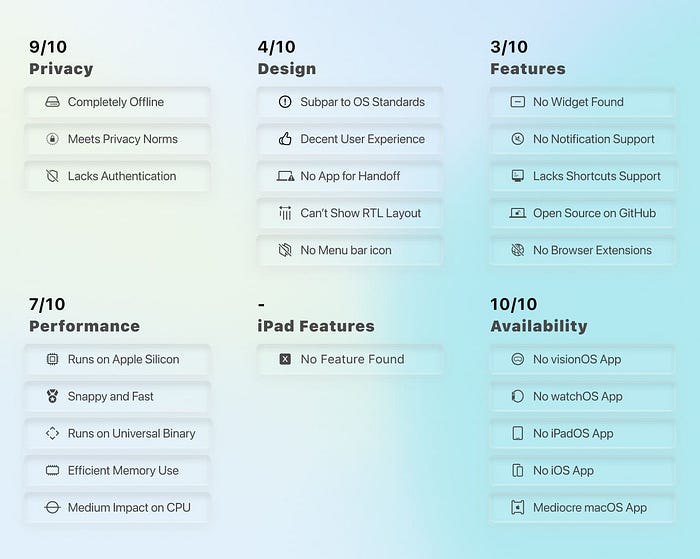
If you like to test Apple Intelligence, use Vesta for simple questions, especially when you don't have internet access.
4. WailBrew
Homebrew GUI Manager
Most professional Mac users use Homebrew with Terminal to manage their packages and install and update apps.
While writing text in the terminal is the preferred way for some people, many users prefer graphical user interfaces.
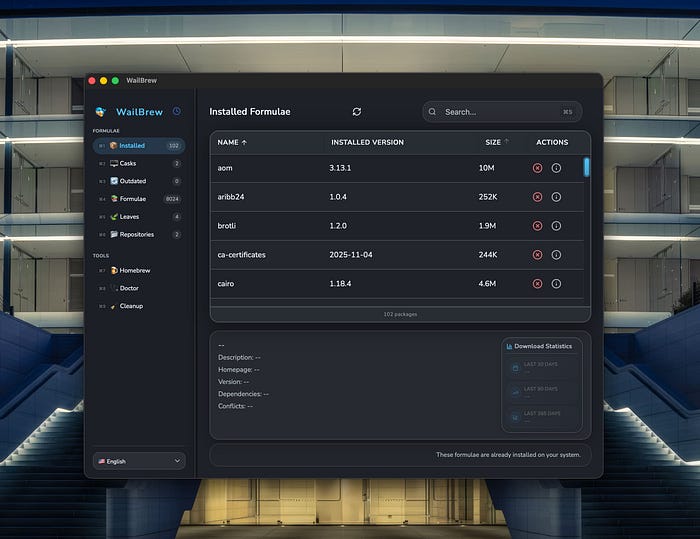
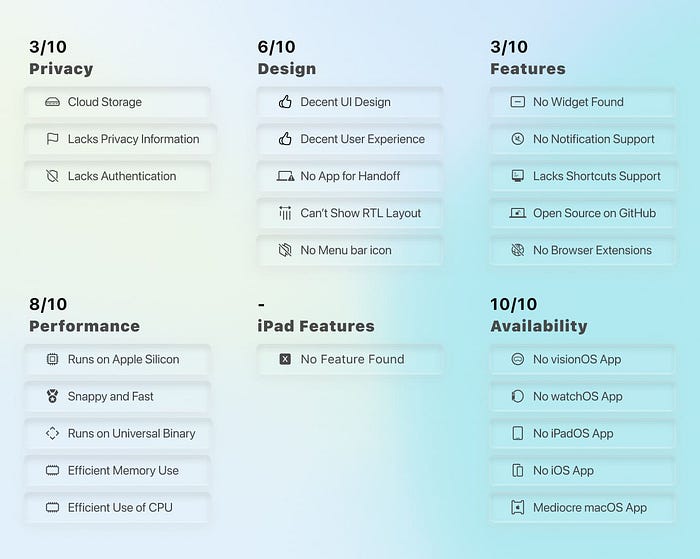
WailBrew is a Homebrew package manager with a user-friendly design and useful features.
It's got a decent UX with two fantastic features:
- Doctor: to examine packages and repair their issues.
- CleanUp: to clean outdated downloads, cached files, and free up storage.
Personally, searching for and installing new packages makes WailBrew a gem on my Mac. Moreover, it can update Homebrew and older packages.
5. Zipic
Image Compression
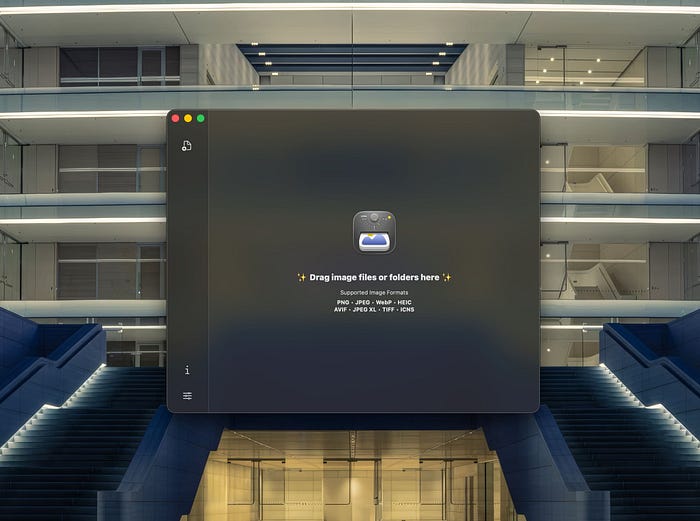
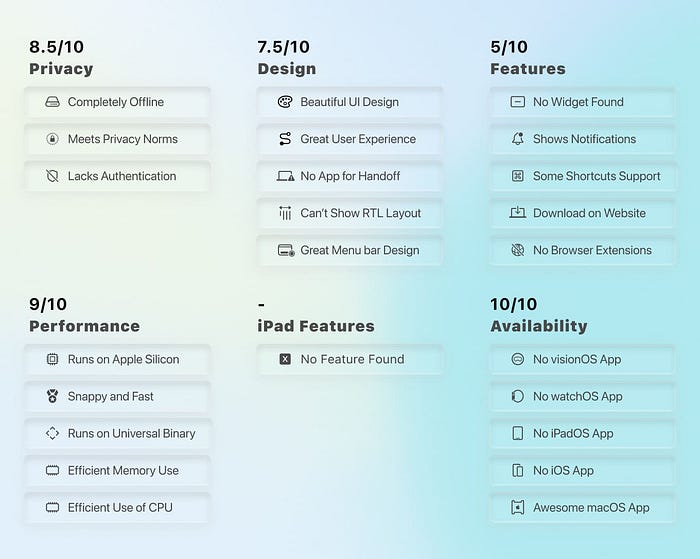
Zipic is a beautiful, powerful offline image compressor for Mac.
It's the kind of app I wish Apple made and baked into macOS because of its minimalistic design and great performance.
I've been using Zipic for many months to batch compress images, which has saved gigabytes of storage.
My blog requires me to take many screenshots, edit photos, and download high-res images. Due to the nature of my work, I need to upload them with the smallest file size while retaining as much quality as I can.
Zipic does that for me. Its compression ratio is just right!
The before and after image of a file isn't noticeable to the naked eye.
I use this Raycast plugin to simplify image compression with Zipic in Finder:
I've tried plenty of image compression utilities on Mac, and Zipic is the best one I've found in years.

6. Ultimate Vocal Remover
Remove vocals from audio files
In the world of useful AI tools, we have something called source separation models.
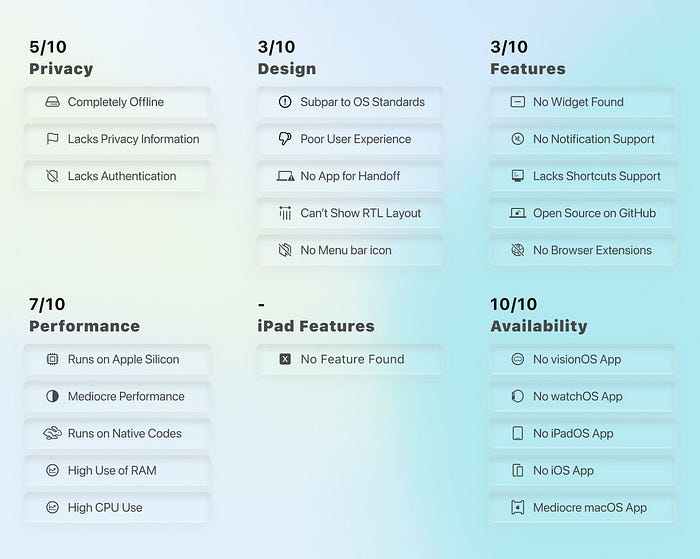
They allow removing vocals from audio files using trained models. Ultimate Vocal Remover, or UVR for short, does that for us.
UVR is an open-source app to separate vocals and instruments, and it's available on most popular platforms.
UVR is optimised to use the Apple Silicon GPU and accelerate its process in audio separation.
I've tested it on a base M1 Mac Mini with 8GB RAM using a 3-minute audio file, and it did the whole thing in 20 seconds!
It's fast, optimised, and runs well on most Macs.
I ran the same audio process on my PC and was surprised to find out that UVR on Mac runs even faster than my PC, which has an RX 6900 XT with 16GB of VRAM.
The audio separation is amazing. I chose seminar recordings, music, and short videos, and it did an awesome job, leaving two files:
- The background.
- The vocals.
UVR isn't designed well, so don't expect a great user interface, but it's usable, and I can only hope the developer improves it in future versions.
I also hope someone builds this app on iPadOS. I'd imagine the M5 iPad Pro can handle such tasks like a beast.
7. TrackWeight
Turn Your Trackpad into a Digital Weighing Scale
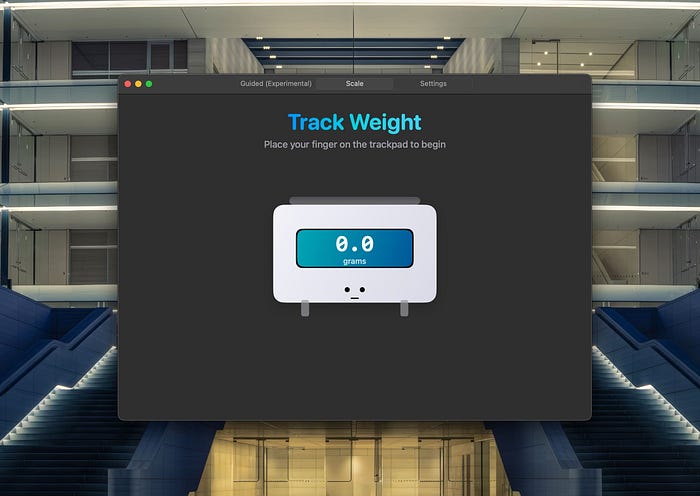
Did you know your MacBook can weigh stuff? Like, literally, it can be a digital weighing scale!
I didn't believe it until I tried TrackWeight on my MacBook Air, and the result blew my mind.
Apparently, the trackpad can use its Force Touch sensors to measure the pressure and provide a precise reading. Then, that data can provide a weight measurement.
TrackWeight is an open-source app hosted on GitHub, and you can try it on your MacBook. Just before you do, know that:
- It doesn't weigh metal objects.
- It needs a finger touch to start weighing.
- Don't weigh liquids on it; you risk spilling them on your expensive Mac.
- It's intended as a fun project; don't weigh heavy stuff on it.
Basically, be careful. It's a Mac.

8. Wipr 2
Enjoy a cleaner web.
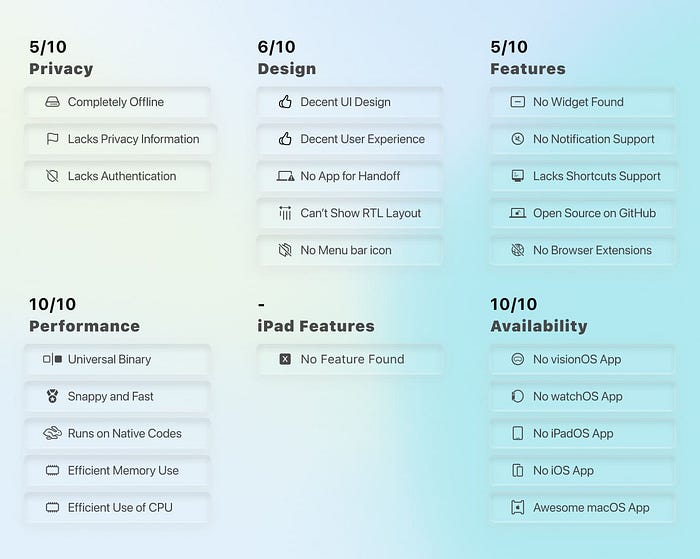
Ads suck. No matter where, we hate them, so we install ad blockers. But most of them run badly on Safari. Either they don't properly remove ads or hog up too much system memory. Not anymore!
Wipr 2 is the best Safari ad blocker on the App Store. Just install, activate, and forget.
I've been using it for months, and it's still unmatched in its ease of use, resource utilisation, and ad removal. Moreover, it blocks banners, crypto mining, cookie warnings, and a lot more.
I love how it looks, how it works, and how regularly it receives updates.
Wipr 2 receives regular updates to refresh its filters and remove newer ads.
It has a beautiful UI, great use of animations, and leaves less than 10 MB of footprint on your storage.
Overall, with its $4.99 one-time payment and consistent updates, Wipr 2 is the app I install on all my Apple products and recommend to anyone to buy it.

9. Flix Fixer
Rename TV show video files
In this article, I introduced AI Renamer, but that was for images and documents.
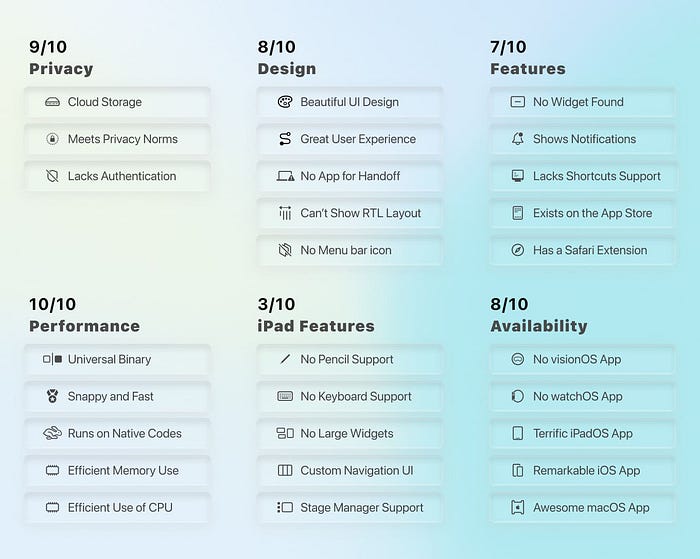
Flix Fixer is functionally similar to AI Renamer, but it's made for movies, TV shows, and videos.
I use Flix Fixer to organise my library of movies, documentaries, anime, and TV series on my Mac Mini Server so Plex can easily identify them.
Moreover, this app makes it easy to organise your media library.
It uses Apple Intelligence to recognise movies and TV series and can rename multiple files in batch mode, especially for popular apps such as Plex, Jellyfin, and Kodi.
I haven't seen many apps use Apple's AI since macOS Tahoe, and it's a bright light at the end of the tunnel to see more products utilising the power of the Apple Silicon chip.
10. Folder Quick Look
Instant Folder & Archive Peek
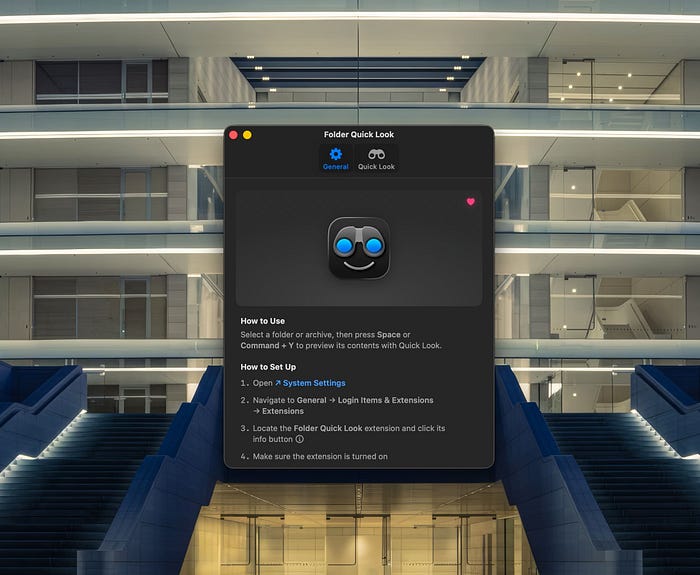
By default, a wonderful and unique feature of macOS is Quick Look, which allows users to preview any file by pressing the Space key.
While Quick Look works great on files, it doesn't work with folders. So, a smart developer made this app to solve that issue and make macOS even more unique.
The Folder Quick Look allows previewing the content of folders, and it's just as good as the OS.
I install it on all my Macs, and it has become a must-have utility for me and many power users.
The app receives regular updates, and thankfully, it's not a subscription.
Due to its early version and initial launch, I don't get great performance, but that could be fixed in future updates.
I hope Apple buys the Folder Quick Look app and bakes it into the new macOS release.
If you have any comments, suggestions, or criticisms, I will be happy to read them in the response section.
🖤 Thank you for reading my stories on Medium.
🙏🏻 Your donations encourage me to publish more content.